The briefing
The problem, and how the app is laid out
Why a fare needs a date, what happens between the browser and the database, and why the web app never touches the database itself.
In this chapter
- Why a fare is a number with a date on it
- What happens between the browser and the database
- How api/ and web/ are separated, and why that matters later
A passenger and an apprentice disagree about the fare from Westfield to Brikama. Both of them are sure. Neither can prove it.
That is the application. It sounds like one number in a table, and it is not.
A fare is a number with a date on it
Fares change. They went up in April 2026 when fuel did. So “the fare from Westfield to Brikama” has no answer on its own — only “the fare from Westfield to Brikama today” does.
That is why fares is a table of rows rather than a column on routes:
| Table | What it holds |
|---|---|
stops |
Westfield, Brikama, Banjul, Soma, Basse |
routes |
A one-way trip between two stops, by van, taxi or bus |
fares |
An amount in dalasi, effective from a date |
users |
Fare officers, from Lab C onward |
Today’s fare is the row with the latest effective_from that is not in the
future. Every seeded route has two fare rows — one from before April 2026,
one from after — so that rule has something to do. A lookup that cannot go
wrong teaches nothing.
Two consequences worth noticing. Old invoices stay correct, because a receipt from March still points at the fare that was true in March. And a fare rise is an insert, never an update — you never destroy what was true last year in order to record what is true today.
A route runs one way
Westfield to Brikama is not the same row as Brikama to Westfield. They often cost the same, but they are different trips, and the day one of them changes you will be glad they were separate.
What happens when you press the button
    browser                    server                      database
    ───────                    ──────                      ────────
    anyone can change it       every rule lives here       the last word

    click "Find the fare"
      │
(1)   └─ fetch /api/fares?from=1&to=8
                 │
                 └─ Express matches the route
                       │
                       └─ Prisma builds the SQL
                             │
(2)                          └─ SELECT … ORDER BY effective_from DESC
                                LIMIT 1
                             ┌─────────┘
(3)                    ┌─────┘ one row
                 ┌─────┘ JSON
      ┌──────────┘
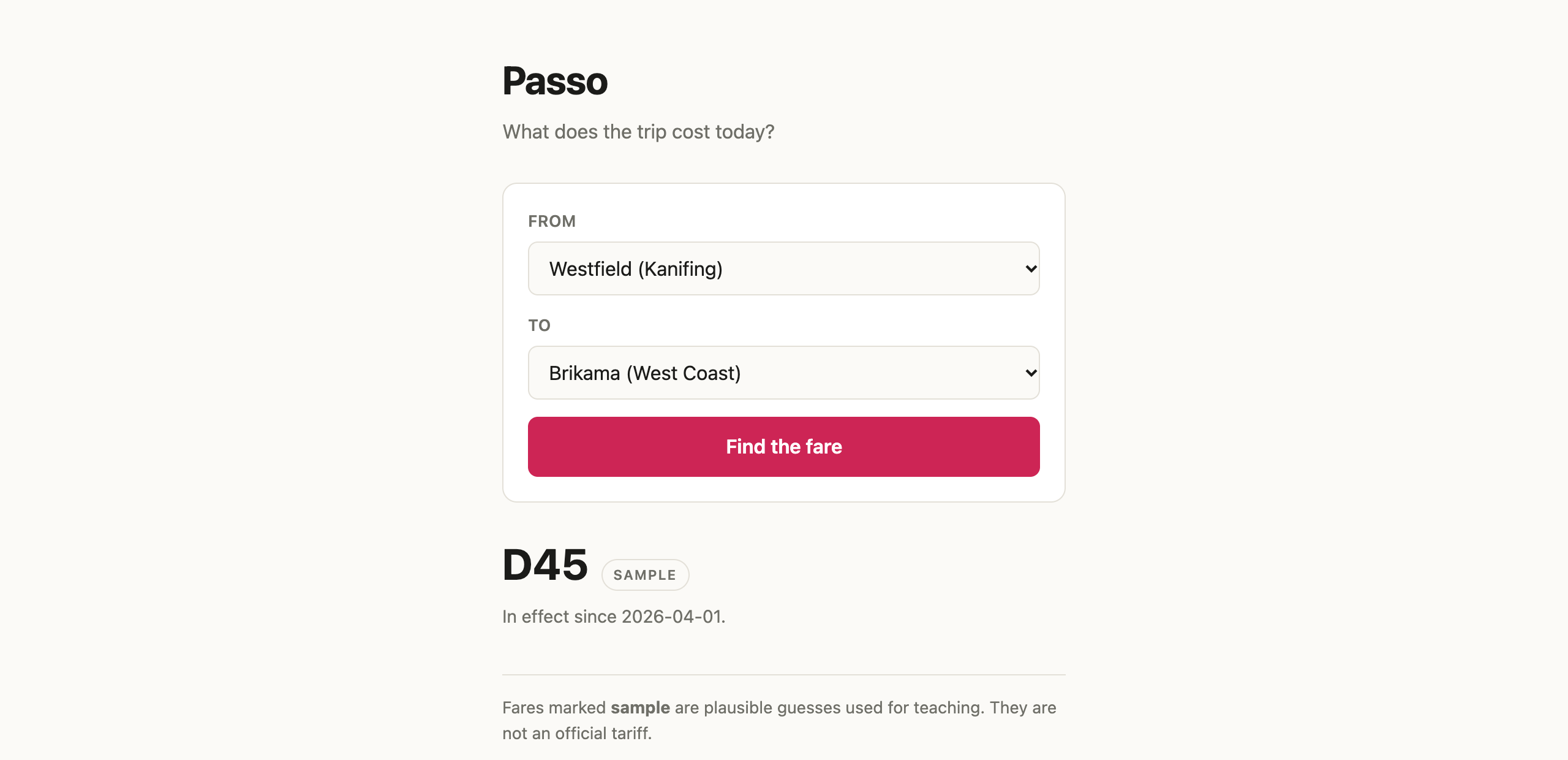
(4) render "D45"
Read that URL from the ?. Everything after it is the query string: =
ties a name to a value, and & starts the next pair. So ?from=1&to=8 is two
parameters — from carrying stop id 1, to carrying stop id 8, Westfield and
Brikama.
Both of those characters are separators, and that has two consequences you
will meet. A value that itself contains & or = has to be
percent-encoded, or the server reads it as the start of another parameter —
which is why Lab B attacks the unsafe search with --data-urlencode rather
than typing the quotes straight into the URL. And a URL is text, all of it, so
from=1 arrives at the server as the string "1" and not the number 1. Lab
A’s first job is to convert it and refuse anything that is not a whole number.
Four places a thing can go wrong, and the labs visit all of them: (1) the request never arrives, (2) the route matches but the query is wrong, (3) the query is right but the data is missing, or (4) everything works and the page renders it badly.
Knowing which of the four you are looking at is most of the day. It is also the part that does not change with whoever wrote the code — you, a colleague, or a model. You can only direct what you could recognise, and only verify what you understand. Lab D is where that stops being a slogan: you will watch a full test suite pass over a search that is handing passengers the wrong fare.
How the project is laid out
passo/
├── api/                    the server — the only part that touches the database
│   ├── routes/
│   │   ├── fares.js        Lab A and Lab B are both in this one file
│   │   └── stops.js        the list that fills the two menus
│   ├── app.js              mounts the routes, and serves web/ as well
│   ├── db.js               one Prisma client, shared by every route
│   └── server.js           starts it listening
├── web/                    the browser app — plain HTML, CSS and fetch
│   ├── index.html
│   ├── app.js              the form, and where the answer is rendered
│   └── style.css
├── prisma/
│   ├── schema.prisma       stops, routes, fares, users
│   └── seed.js             the sample fares and the stops they run between
├── tests/
│   └── health.test.js      the two tests from the setup page
├── .github/workflows/
│   └── test.yml            runs the tests on every push — you meet this in Lab D
├── .env.example            copy to .env; DATABASE_URL lives there
└── package.json            the scripts: dev, setup, reset, test
Only api/ touches the database. The browser app asks the API over
fetch and nothing else. It has no connection string, no SQL, and no idea
which database is behind the server.
That is the seam, and it is the most portable idea in this module: a mobile app would be a third folder talking to the same API, and the server would not change at all. You will not build one on Friday. You will build the thing that makes one possible.
Why the server also serves the web page
Look at api/app.js and you will see the server handing out the files in
web/ as well as answering /api/.... One command, one port, one address.
This is a teaching decision, and it is worth saying out loud because your students will ask. Running the browser app on its own port would mean configuring CORS, and in Lab C it would mean fighting cookie rules that exist for good reasons but have nothing to teach in four hours.
Serving both from one origin removes that problem without hiding the seam.
The proof is one line at the top of web/app.js:
const API_BASE = '';Empty means “the server that gave me this page”. Point it at
http://localhost:3000 and the page keeps working from anywhere — which is
exactly what a mobile app does. The separation is real; we are just not paying
the deployment cost of it today.
Before the first lab
Have the app running and the search form showing stops:
npm run devPressing Find the fare right now tells you the search is not built yet. Building it is Lab A.